
ChatBots: From Conversational Interfaces to Operational Intelligence with Make
Chatbots have evolved well beyond simple rule-based question-and-answer tools. In modern digital operations, the chatbot is increasingly becoming the primary interface between humans and business systems. Customers, prospects, and internal teams now expect conversational experiences that can take action, not merely respond with static information.
This is where Make (formerly Integromat) plays a pivotal role.
Make does not position itself as a chatbot platform in the traditional sense. Instead, it functions as an orchestration layer—a visual automation engine that connects chat interfaces, AI models, databases, CRMs, and operational tools into a single, coherent system. When paired with a chatbot front-end, Make transforms conversational inputs into reliable, auditable, multi-step business processes.
For digital marketing professionals, RevOps leaders, and automation-first agencies, this capability unlocks a powerful shift:
The chatbot becomes the conversational front-end for your entire technology stack.
This article provides a comprehensive, practical framework for designing, building, and scaling chatbots powered by Make—from basic lead capture to production-grade AI agents with memory, retrieval, governance, and cost control.
1. What a “Make Chatbot” Actually Is (and Isn’t)
One of the most common misconceptions is that Make “hosts” chatbots. It does not.
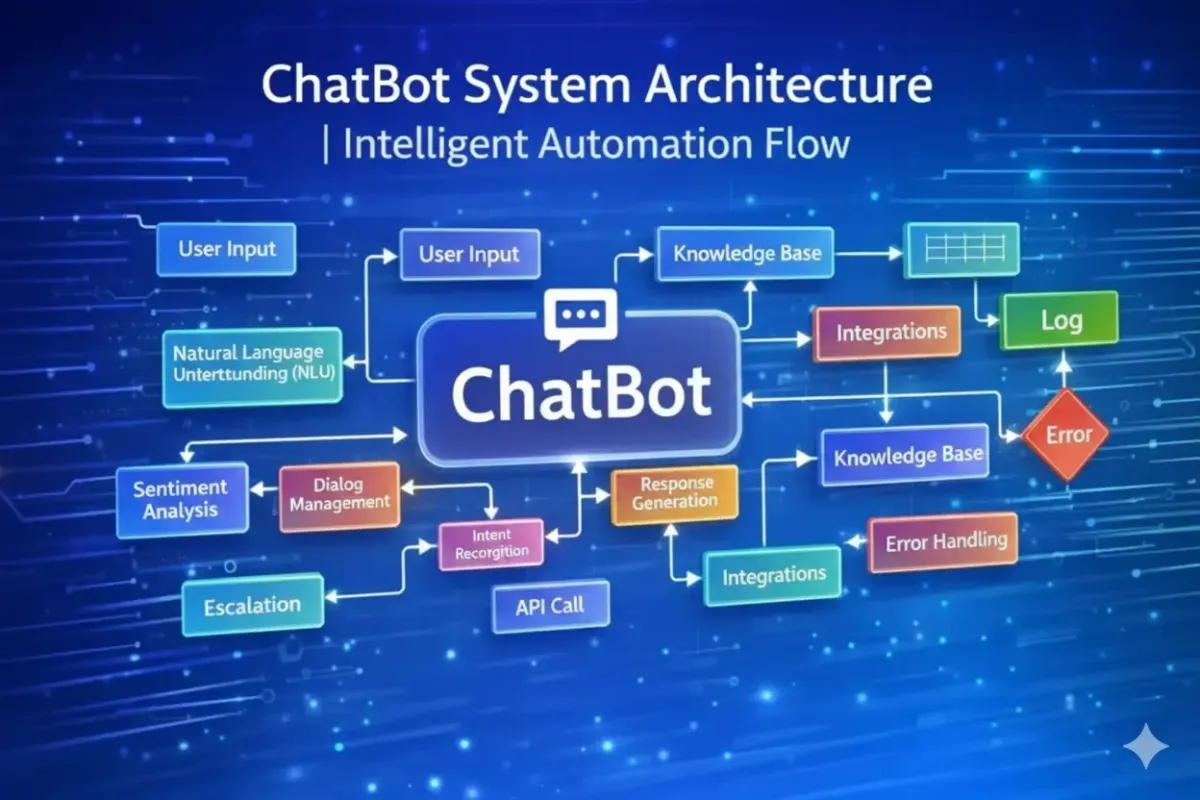
A Make-powered chatbot is best understood as a system, composed of four distinct layers:
1.1 The Conversation Layer (Interface)
This is where the user interacts. Common examples include:
Website chat widgets
WhatsApp or SMS
Telegram or Slack
Instagram or Facebook DMs
Email or form-based chat
Make does not replace these interfaces—it connects to them via webhooks or native integrations.
1.2 The Orchestration Layer (Make)
Make receives the inbound message and executes logic:
Normalises inputs
Calls AI models for intent detection or response drafting
Queries databases, CRMs, or APIs
Routes the request through conditional logic
Writes data back to systems of record
This is where automation, reliability, and scale are enforced.
1.3 The Intelligence Layer (AI Models)
Make integrates with LLM providers such as:
OpenAI (GPT-4 class models)
Anthropic (Claude)
Google (Gemini)
These models interpret language, extract entities, classify intent, and generate structured or user-facing outputs.
1.4 The Memory & Data Layer
Persistent context lives outside the AI model:
CRMs (contacts, deals, tickets)
Databases (Make Data Store, Airtable)
Knowledge repositories (Docs, Notion, Helpdesks)
Vector databases for retrieval
Make coordinates for all four layers into a repeatable, governed workflow.
Key takeaway:
Make is not the chatbot—it is the automation brain behind the chatbot.
2. Why Make Is a Strong Fit for Chatbot Automation
Compared to standalone chatbot builders, Make offers several structural advantages.
2.1 True Multi-Step Automation
Most chatbot tools excel at conversation design but struggle when workflows become complex:
“Ask three questions, then…”
“Look up data, then branch logic…”
“Write to CRM, then notify sales, then follow up…”
Make is purpose-built for multi-step, conditional workflows, making it ideal for chat-driven processes.
2.2 Native Integration Depth
Make.com connects to thousands of applications, including:
CRMs such as HubSpot and Go High Level
E-commerce platforms like Shopify
Communication tools like Slack
Helpdesks, databases, finance tools, and custom APIs
This enables chatbots to interact with live operational data, not static scripts.
2.3 Visual Governance and Debugging
Unlike code-heavy approaches, Make provides:
Visual execution logs
Error handlers per module
Deterministic branching paths
For agencies and regulated businesses, this visibility is critical for trust and maintainability.
3. Core Architecture: How Chatbots and Make Work Together
At a technical level, Make-powered chatbots operate on a request–response loop.
Step 1: Trigger (Inbound Message)
A user sends a message via:
Website chat
WhatsApp or Telegram
Slack or Teams
The platform forwards this message to Make via a webhook or “watch messages” module.
Step 2: Processing & Understanding
Make processes the message:
Cleans and normalises text
Optionally enriches with CRM or session data
Sends the input to an AI model for:
Intent classification
Entity extraction
Draft response generation
Step 3: Routing & Actions
Using routers and filters, Make decides what happens next:
Create or update CRM records
Query databases or APIs
Trigger notifications or tickets
Perform calculations or lookups
Step 4: Response
Make formats the output and sends it back to the original channel for the user to see.
This architecture separates conversation from execution, which is essential for scale.
4. Core Use Cases Where Make Excels
4.1 Lead Capture & Qualification (Marketing → Sales)
Chatbots powered by Make.com are highly effective for structured lead generation:
Capture name, email, company, intent
Ask qualifying questions (budget, timeline, service)
Write structured data into CRM fields
Route leads into the correct pipeline stage
Trigger follow-ups or booking workflows
This approach aligns naturally with CRM-centric platforms like Go High Level.
4.2 Customer Support & Triage
Instead of answering everything, a Make-powered bot can:
Deflect common FAQs
Gather diagnostic information
Create helpdesk tickets with full context
Escalate complex or emotional cases to humans
The result is reduced ticket volume and higher-quality escalations.
4.3 Internal Operations Assistants
Internal chatbots can:
Generate reports and summaries
Create tasks in project tools
Answer HR or policy questions
Pull metrics on demand
Because Make integrates deeply with internal systems, these bots often deliver immediate productivity gains.
4.4 Data-Driven Q&A (RAG Systems)
For accuracy-sensitive use cases, Make can implement Retrieval-Augmented Generation (RAG):
Search approved documents
Retrieve relevant sections
Pass only those sections to the AI
Generate grounded answers with guardrails
This is essential for compliance-driven industries.
5. Step-by-Step Implementation Strategy
Phase 1: Input Layer (Webhooks, Not Polling)
Always use event-based triggers:
Custom webhooks
“Watch Messages” modules
Polling introduces latency and cost, and degrades user experience.
Phase 2: Intelligence & Context
Once the message is received:
Add a system prompt defining the AI’s role
Inject dynamic context from CRM or databases
Use structured outputs (JSON) for downstream logic
This ensures consistency and predictability.
Phase 3: Routing & Decision-Making
Use Make.com routers to handle different intents:
Sales → CRM + notification
Support → ticket creation
General → direct response
Separating understanding from execution reduces errors.
6. Advanced Concepts That Separate MVPs from Production Systems
6.1 Retrieval-Augmented Generation (RAG)
For large knowledge bases:
Chunk documents
Store embeddings in a vector database such as Pinecone
Retrieve relevant passages per query
Instruct the AI to answer only from the retrieved content
This dramatically reduces hallucinations.
6.2 Conversational Memory
Stateless APIs forget context. Make solves this by:
Storing recent messages in a data store
Injecting summaries into prompts
Persisting structured facts in CRM fields
Best practice is structured memory, not raw transcripts.
6.3 Error Handling & Resilience
Production chatbots must fail gracefully:
API downtime
Rate limits
AI errors
Make s error handlers allow fallback responses, logging, and retries—critical for reliability.
7. Cost Control and AI Spend Management
Unchecked chatbot automation can become expensive. Best practice includes:
Rules and lookups before AI calls
Cheap models for classification
Larger models only when necessary
Token limits and summarised history
Cached responses for common queries
This layered approach prevents “LLM spend creep”.
8. Security, Privacy, and Compliance (UK & GDPR Context)
Key principles:
Do not send sensitive data to AI unless required
Mask or redact personal identifiers
Store consent status explicitly
Support data deletion and export
Maintain audit trails for actions
Make visual logs and modular design make compliance far easier than opaque chatbot platforms.
9. A Pragmatic Build Roadmap
Phase 1: MVP
One or two intents
CRM write-back
Simple AI responses
Phase 2: Production Readiness
Session memory
Escalation rules
Error handling
Logging and dashboards
Phase 3: Scale & Differentiation
RAG over documentation
Personalisation from CRM
Multi-language support
Continuous optimisation loops
Conclusion: Make as the Conversational Operating Layer
Using chatbots with Make is not about “building a bot.” It is about designing a conversational operating layer that sits on top of your business systems.
By separating conversation, intelligence, execution, and memory—and orchestrating them through Make —you gain:
Reliability
Scalability
Auditability
True business impact
For agencies, RevOps teams, and automation-first organisations, this approach turns chat from a novelty into a core operational interface—one that aligns seamlessly with CRM-centric platforms like Go High Level and modern AI-driven workflows.