

AI Bots in Make: A Practical, Scalable Framework for Intelligent Automation
Artificial intelligence inside automation platforms has reached a point of commercial maturity. What was once limited to simple “chatbot” interactions has evolved into context-aware, goal-oriented AI reasoning layers that sit inside production-grade workflows.
Within Make.com (formerly Integromat), these capabilities are commonly referred to as AI Bots, AI Agents, or AI-powered chat workflows. While the terminology varies, the underlying shift is significant: automation is no longer restricted to rigid, deterministic logic. Instead, AI can now interpret, summarise, classify, and decide, while Make remains in full control of execution.
This article provides a comprehensive, systems-level explanation of AI Bots in Make - how they work, how they differ from traditional automation, where they deliver the most ROI, and how to deploy them safely inside revenue-critical environments.
1. What “AI Bots” Mean in Make (A Precise Definition)
In Make, AI Bots are not autonomous, long-running AI employees. They are AI-powered reasoning components embedded inside otherwise deterministic workflows.
A useful mental model is this:
Make provides the spine. AI provides cognition.
AI Bots are invoked at specific points in a scenario to:
Interpret unstructured inputs (text, PDFs, emails, chat messages)
Generate structured outputs
Classify intent, sentiment, urgency, or quality
Summarise or normalise complex data
Assist decision-making before logic resumes
They never self-trigger, never run indefinitely, and never replace workflow logic. This constraint is not a limitation—it is the architectural advantage that makes Make suitable for serious business systems.
2. The Core Architecture: Deterministic Automation + Probabilistic Intelligence
Make’s AI capabilities follow a hybrid execution model, deliberately separating control from intelligence.
2.1 Deterministic Layer (Make’s Core Strength)
This layer handles:
Triggers (webhooks, schedules, app events)
Routers and filters
Iterators and aggregators
Error handling and retries
Guaranteed execution paths
App integrations (2,000+)
Everything here is predictable, testable, and auditable.
2.2 AI Reasoning Layer (The “Bot”)
This layer introduces:
Natural language understanding
Generative content creation
Semantic extraction
Classification and scoring
Contextual summarisation
Pattern recognition in messy data
Crucially, AI never controls the workflow. It advises, transforms, or labels data, which Make then routes using deterministic logic.
This avoids the unpredictability and governance risk found in agent-first platforms.
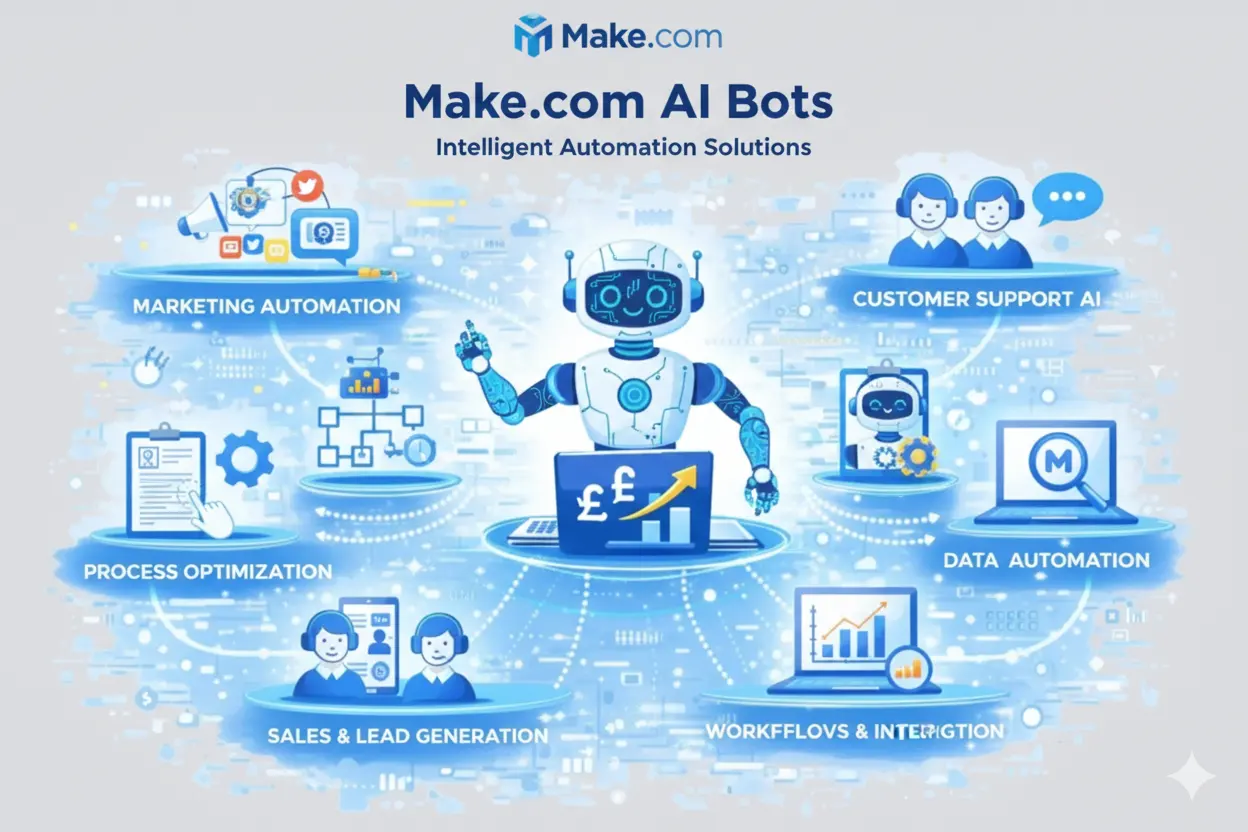
3. The Three Practical Forms of AI Bots in Make
In real-world deployments, AI Bots in Make typically fall into three patterns.
3.1 Prompt-Driven AI Modules (Most Common)
These are explicit AI steps using models such as OpenAI (via GPT-4-class models).
How it works
Structured or unstructured input is passed to the model
The AI generates a response
Output is mapped back into Make
Typical use cases
Summarising support tickets
Extracting entities from emails or PDFs
Rewriting form submissions into CRM-ready language
Generating internal summaries or briefs
Best practice
Force structured outputs (JSON, fixed schemas)
Never allow free-text AI output to flow directly into downstream systems without validation
This pattern alone can eliminate hours of human interpretation work per week.
3.2 AI as a Decision Engine (Controlled Intelligence)
Here, AI performs interpretation, not execution.
Flow
Data enters Make
AI evaluates context (intent, sentiment, quality, urgency)
AI outputs a label or score
Routers decide the path
Example
AI outputs lead_quality = high | medium | low
Make routes accordingly:
High → Sales pipeline
Medium → Nurture
Low → Education or archive
Why this matters
You gain nuance without surrendering control. AI enhances judgment; Make enforces policy.
3.3 AI as a Data Transformer (Operational Intelligence)
This is where AI Bots deliver the highest operational ROI.
Common scenarios
Cleaning messy onboarding forms
Normalising multi-source inputs (WhatsApp, email, PDFs)
Creating executive summaries for humans
Producing structured logs for analytics or reporting
Example
Input: 20-question onboarding form with long-text answers
Output:
One-paragraph executive summary
Bullet-point risks
Extracted requirements
Implementation notes
What previously required senior human review can now be automated reliably.
4. Native Make AI Agents vs Chatbot Workflows
Make supports two distinct AI approaches, which are often conflated.
4.1 Custom AI Chatbot Workflows
These are message-triggered scenarios:
Slack, Telegram, WhatsApp, email
AI processes message
Response is sent back
They are reactive, stateless by default, and ideal for:
FAQ bots
Interactive Q&A
Simple support use cases
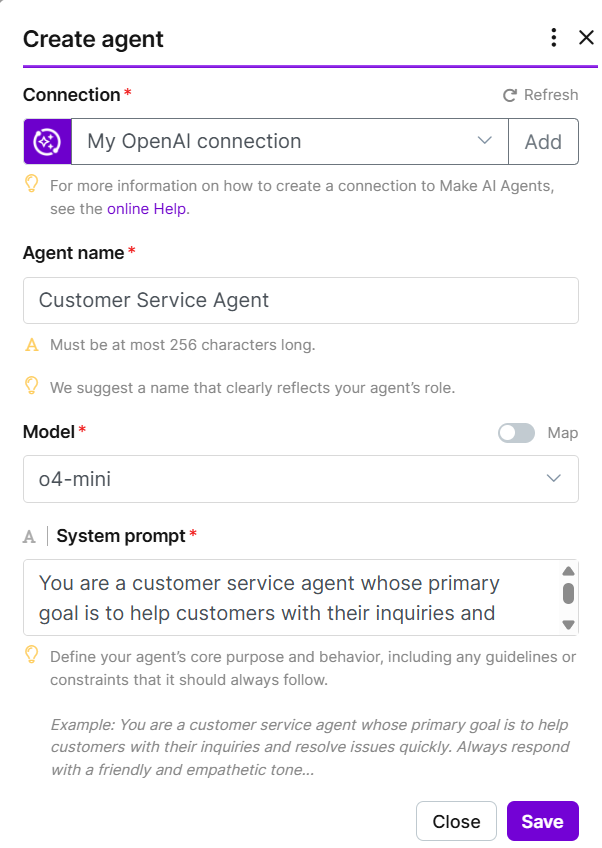
4.2 Native Make AI Agents
Make AI Agents are:
Persistent
Goal-oriented
Context-aware
Capable of multi-step reasoning
You define:
A goal (“Answer questions using only this PDF”)
Context (files, text, knowledge base)
Tools (other Make scenarios the agent can call)
The agent decides which tools to use and when, then returns a final result.
This closes a major functionality gap between no-code automation and agent-based systems—without sacrificing control.
5. How AI Agents Work: Brain and Tools
Make AI Agents follow a reasoning + capability model.
5.1 The Brain
An LLM (GPT-4-class, Claude-class, etc.)
System instructions defining:
Role
Constraints
Tone
Allowed actions
5.2 The Tools
Individual Make scenarios
Each ends with a Return Output module
The agent can call them dynamically
Example tools
“Search Google Sheets”
“Check CRM record”
“Send Slack message”
“Calculate distance via Maps API”
The agent reasons about the task, selects tools, executes them, and synthesises a response.
6. Memory, Context, and State Management
6.1 Stateless by Default
Each AI invocation:
Knows only what you send it
Forgets everything afterward
6.2 Simulating Memory Safely
To maintain context:
Store summaries in CRM fields
Use Make Data Stores
Append conversation history
Pass prior outputs into prompts
Advanced pattern
A rolling context window:
Last 3 interactions
Last decision summary
Current trigger data
This creates controlled pseudo-memory without hallucination risk.
7. Step-by-Step: Building an AI Bot in Make
At a high level:
Define the purpose
What decision or interpretation is being automated?
Create a scenario
Add a trigger
Slack, Telegram, email, webhook
Insert AI logic
AI module or Run an Agent module
Validate output
Parse, check confidence, enforce schema
Route execution
Routers and filters
Respond or act
Send message, update CRM, trigger follow-up
Log and monitor
Treat AI output as untrusted until verified
This structure scales cleanly across teams and clients.
8. Key Use Cases by Function
8.1 Customer Support
Knowledge-base-driven FAQ bots
Order or account lookups
Smart escalation based on sentiment or urgency
8.2 Marketing Automation
Social media research and post generation
Campaign performance summaries
Ad copy variation generation with guardrails
8.3 Lead Generation
Quote bots with dynamic pricing
Requirement gathering
Automatic CRM logging and enrichment
8.4 Internal Operations
Report generation
Data reconciliation
Workflow orchestration and triage
These systems operate 24/7 at a fraction of human cost.
9. Error Handling and Governance (Often Overlooked)
AI introduces new failure modes:
Ambiguous outputs
Over-verbosity
Misclassification
Rate limits and token exhaustion
Production safeguards
Output validation
Confidence thresholds
Fallback branches
Human-in-the-loop checkpoints
Full decision logging
In mature systems, AI output is treated as untrusted input until validated.
10. Cost, Performance, and Scalability Considerations
10.1 Cost Drivers
Token usage (prompt + response)
Invocation frequency
Model selection
10.2 Optimisation Strategies
Pre-clean data before AI
Use AI only where ambiguity exists
Cache results
Split analysis vs generation prompts
AI Bots should be surgical, not ubiquitous.
11. AI Bots in a RevOps and Agency Context
For agencies using platforms like GoHighLevel or HubSpot, AI Bots in Make excel when:
Human interpretation is the bottleneck
Inputs are messy or inconsistent
Scale would otherwise require headcount
Common deployments include:
Lead qualification
Sales handover summaries
Support triage
Proposal drafting
CRM hygiene
Offline conversion enrichment
These are high-leverage, revenue-adjacent use cases.
12. Forward-Looking View: 2026 and Beyond
Make’s trajectory is clear:
Deeper AI-native modules
More structured agent components
Better schema enforcement
Stronger governance tooling
However, Make is unlikely to become an “agent playground”. It will remain an automation-first platform with controlled intelligence.
For revenue-critical systems, that is precisely the point.
Final Perspective
AI Bots in Make are not about replacing automation. They are about augmenting it with judgment—carefully, safely, and at scale.
When designed correctly, they eliminate manual drag, increase consistency, and unlock operational leverage that traditional workflows cannot achieve on their own.
The future of automation is not autonomous chaos.
It is deterministic systems, enhanced by intelligent reasoning, governed by design.