
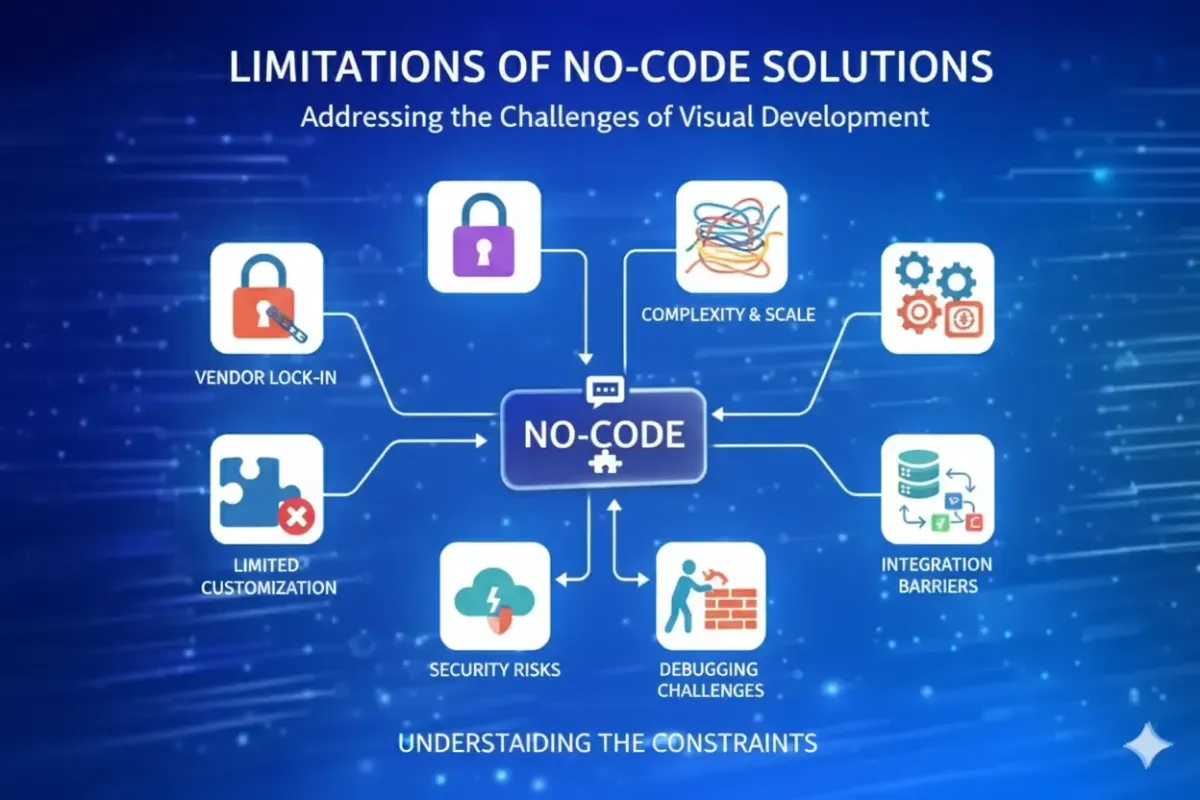
What Are The Limitations of No-Code Solutions?
No-code automation platforms such as Make (formerly Integromat), Zapier, and n8n have changed how modern businesses operate. They allow teams to connect apps, automate repeatable processes, orchestrate data flows, and even embed AI into day-to-day execution—often without waiting for engineering cycles.
In practice, no-code tools can produce outsized gains: faster lead follow-up, cleaner data pipelines, automated reporting, reduced admin overhead, and improved customer experience. But they are not a free lunch. As soon as automation becomes business-critical—touching revenue attribution, customer comms, compliance, finance, or operational fulfilment—the limitations become real and measurable.
This article breaks down the most important constraints businesses encounter when scaling no-code automation, how they manifest across Make, Zapier, and n8n, and how to manage them without losing the speed advantage that made you adopt no-code in the first place.
1) Reliability Isn’t Guaranteed—Especially at Scale
Automation “works” until it becomes part of your core operating system.
Most no-code workflows depend on third-party triggers, webhooks, polling intervals, API availability, and the data quality produced by upstream systems. The weak link is rarely the automation tool itself—it’s the chain.
Common failure modes:
Triggers that don’t fire (webhook misconfiguration, API outages, permission changes)
Triggers that fire twice (duplicate webhooks, retry behaviour, poor idempotency)
Silent partial failures (multi-step workflows where step 7 fails, steps 1–6 already executed)
Rate limiting (API quotas exceeded during spikes)
Why this matters: once a workflow touches customer communication (e.g., “send WhatsApp + email + create deal + add to retargeting audience”), reliability issues become customer-facing, revenue-impacting, and brand-damaging.
Mitigation pattern: treat automations like production systems.
Add idempotency keys/deduplication logic (unique IDs, “already processed?” tables)
Use retries with backoff for temporary failures
Write workflow outputs to logs or a database (not just “it ran”)
Build alerting for failure conditions (Slack/email/incident queue)
2) Debugging and Observability Are Often Limited
In software engineering, operational maturity stems from observability: logs, tracing, metrics, and clear root-cause analysis. No-code platforms provide some visibility (task histories, error logs), but it often isn’t enough for complex, multi-app automations.
Typical debugging issues:
You can see that something failed, but not always why (especially with vague API errors)
Difficult to trace across sub-workflows or chained scenarios
Hard to replicate a production incident using test data (especially when data is time-sensitive)
Limited visibility into performance bottlenecks (which step consumes time, and where it’s waiting)
The organisational cost: when automations are built by a single person and then become business-critical, troubleshooting becomes a single point of failure. The business can’t safely scale or rely on workflows it can’t easily diagnose.
Mitigation pattern:
Standardise naming conventions (“Fetch Contact (HubSpot)”, “Validate Consent”, “Push Offline Conversion”)
Implement structured logging: store payload + status + timestamps in a sheet/database
Use correlation IDs: pass a unique run ID through each step to trace actions end-to-end
Create a runbook for each critical workflow (what it does, dependencies, failure handling)
3) Data Quality Constraints: “Garbage In, Automation Out”
No-code automation amplifies whatever data discipline your business currently has. If your inputs are inconsistent, your outputs will be inconsistent at speed.
Common data issues:
Inconsistent phone formats (E.164 vs local formats)
Duplicate contacts (case sensitivity, whitespace, multiple lead sources)
Missing required fields (lead submits without service type, location, consent)
Conflicting “sources of truth” (CRM says one thing, billing system says another)
This becomes especially dangerous when workflows involve attribution and reporting. For example: sending offline conversions back to Google Ads or updating lifecycle stages based on sales outcomes. If you automate stage updates based on flawed logic or incomplete data, you train your systems to make worse decisions.
Mitigation pattern:
Normalise data early in the workflow (trim, lowercase, ISO dates, E.164 phone)
Validate before action (filters/conditions to block incomplete or non-compliant records)
Centralise identity rules (what constitutes a unique customer? email? phone? CRM ID?)
Use enrichment carefully (and document sources and consent where relevant)

4) Security and Compliance: A Bigger Issue Than Most Teams Admit
When no-code tools are used for marketing admin tasks, risk feels low. When they handle customer data, payment events, medical bookings, or anything regulated, risk increases sharply.
Key risk categories:
Over-permissioned integrations (“full access” tokens used for narrow tasks)
Credential sprawl (API keys stored across multiple scenarios and personal accounts)
Data retention inside automation logs (payload history may include personal data)
GDPR concerns around lawful basis, data minimisation, and vendor agreements
Audit difficulty: proving who changed what and why (especially in fast-moving teams)
Make.com, Zapier.com, and n8n.io all have different operating models. n8n can be self-hosted, which may reduce vendor risk but increases your responsibility for security hardening, patching, backups, and access control.
Mitigation pattern:
Use service accounts, not personal accounts, wherever possible
Apply least privilege (scoped tokens, limited app access)
Minimise PII flowing through non-essential steps (don’t move what you don’t need)
Document data flows for regulated processes
Implement access controls and change management (who can edit production automations?)
5) Vendor Lock-In and Fragile Dependencies
No-code tools are designed to make connections easy—but that ease can mask real lock-in.
Lock-in isn’t just “we use Zapier.” It’s:
Hundreds of workflows built around proprietary primitives (Zapier Paths, Make routers, n8n nodes)
Business logic is distributed across dozens of scenarios, with no central codebase
Internal knowledge trapped in one builder’s head
Hidden coupling to third-party app behaviour (fields, webhooks, trigger semantics)
When your CRM changes, your billing stack changes, or you introduce a data warehouse, the cost of refactoring grows quickly.
Mitigation pattern:
Use an “automation architecture” mindset: standard inputs/outputs, modular components
Keep a system diagram: what calls what, where data lives, who owns each workflow
Avoid embedding complex business rules in too many places—centralise logic where possible
For critical processes, consider a “thin automation layer” that calls a more stable backend or database-driven logic
6) Performance and API Rate Limits Become a Ceiling
No-code platforms are typically fine for low to medium throughput. But performance constraints appear when:
You ingest high-volume web events
You sync thousands of records daily
You run multi-step branching workflows with enrichment, AI, and external calls
You depend on multiple APIs with strict rate limits
What it looks like:
Tasks/operations spike and costs rise
Workflows slow down or back up
API calls start failing with 429 rate limit errors
Teams reduce automation scope to keep costs manageable (a backwards step)
Mitigation pattern:
Batch where possible (process records in groups instead of one-by-one)
Cache expensive lookups (don’t query the CRM repeatedly for the same data)
Design for event-driven automation (webhooks) instead of polling, when possible
Introduce a database or queue for high-volume workloads (even a lightweight one)
Monitor cost per outcome (e.g., automation cost per qualified lead, per booked appointment)
7) Complex Logic Has a Maintainability Problem
No-code tools are “visual”, but visual logic can become harder to maintain than code once it grows.
A common pattern is the “mega-scenario”: dozens of steps, routers, filters, transforms, edge-case handling, retries, and fallbacks. It works—until someone needs to update it quickly, or until the original builder is unavailable.
Maintainability issues:
Business logic becomes difficult to reason about (especially with nested branches)
Small changes have unintended side effects
Testing is manual and inconsistent
There is no standard for code review or versioning
n8n can be more developer-friendly (Git-based workflows and self-hosting options are common), but it can still suffer from the same structural problems if workflows are not designed intentionally.
Mitigation pattern:
Modularise: split large workflows into smaller, well-named sub-workflows
Establish a “definition of done” (naming, error handling, logging, documentation)
Use environments (dev/staging/prod) where feasible
Implement versioning discipline: release notes for workflow changes
8) AI Integration Adds New Failure Modes
AI inside automations is powerful: summarisation, classification, lead scoring, email drafting, sentiment analysis, routing, and more. But AI introduces probabilistic outputs into deterministic business processes.
AI-specific limitations:
Non-determinism: output quality varies with phrasing and context
Hallucinations: AI can fabricate details if the prompt or data is weak
Data leakage risks: sending sensitive info to third-party AI endpoints
Workflow brittleness: a small output format change can break downstream steps
Governance problems: who approves AI-generated customer messages?
Mitigation pattern:
Use AI for assistance, not authority, in high-risk workflows
Validate AI outputs with structured schemas (JSON formats, strict fields)
Implement “human-in-the-loop” approval for customer-facing content when needed
Log prompts and responses for audit and continuous improvement
Define safe boundaries: what the AI is allowed to do, and what it must never do
9) People and Process Limitations: The Hidden Bottleneck
The tooling is rarely the limiting factor. The business is.
No-code adoption often fails because:
Teams automate the wrong process (automating chaos makes chaos faster)
Ownership is unclear (IT? marketing ops? sales ops? “who fixes it at 2am?”)
There’s no change control (people edit production workflows without review)
Documentation is missing (workflows become “tribal knowledge”)
In high-performing organisations, automations are treated as operational assets—with owners, SLAs, QA, and planned iteration.
Mitigation pattern:
Assign workflow owners with accountability
Create a central inventory of automations (purpose, dependencies, last updated)
Implement basic governance: access control + review for critical workflows
Tie automation metrics to business metrics (speed-to-lead, conversion rate, churn)
10) When No-Code Is the Wrong Tool
No-code is not “bad”. It’s just not the right hammer for every nail.
No-code tends to be a poor fit when you have:
High-frequency, low-latency requirements (real-time systems at scale)
Highly regulated environments need strict audit trails and controls
Complex domain logic that changes frequently and must be unit tested
Heavy data transformation is better handled in code or a warehouse
Requirements for custom UI, advanced permission models, or complex orchestration
A sensible approach is hybrid: keep no-code for orchestration and speed, but move critical logic into stable, testable layers (databases, APIs, serverless functions, or a dedicated integration service).
A Practical Decision Framework
If you want to scale no-code responsibly, evaluate each workflow on:
1) Criticality
Does failure impact revenue, compliance, or customer experience?
2) Volume
How many runs per day/week? What is the cost per run?
3) Complexity
How many branches, dependencies, and external calls?
4) Data sensitivity
Does it contain PII, health data, payment info, or regulated data?
5) Ownership
Who maintains it? Who monitors it? Who can change it?
Workflows that score high across these dimensions should be engineered like production systems (monitoring, logging, governance, modular design)—even if they’re built “no-code”.
Conclusion: No-Code Is a Force Multiplier—Plan Accordingly
Make, Zapier, and n8n are legitimate operational platforms for modern businesses. They enable teams to move faster, connect systems, and build capabilities that used to require dedicated engineers.
But the limitations are not theoretical: reliability, debugging, data quality, compliance, lock-in, performance, maintainability, AI risk, and governance all emerge as soon as automation becomes core infrastructure.
The winning strategy is not “no-code vs code”. It’s appropriate architecture: use no-code where it accelerates outcomes, and introduce stronger engineering practices where risk and scale demand it.