

The Best Tips for Using n8n Effectively
n8n is an exceptionally powerful fair-code automation platform. Unlike simpler no-code tools, it offers near-engineering-level flexibility through visual workflows, JavaScript, webhooks, and modular execution.
However, that same flexibility creates risk. Without discipline, n8n workflows can quickly become brittle, opaque, and difficult to scale.
This guide outlines best-practice principles used by high-performing teams to design n8n workflows that are reliable, readable, and production-ready.
1. Start With Workflow Design, Not Nodes
Before opening n8n, define the workflow on paper:
Trigger → Data Preparation → Logic → Actions → Outputs
At this stage, you should explicitly identify:
Required inputs and expected outputs
Failure states and retry behaviour
Edge cases (missing fields, duplicates, partial payloads)
Clear upfront design reduces technical debt and prevents fragile workflows that break under real-world data conditions.
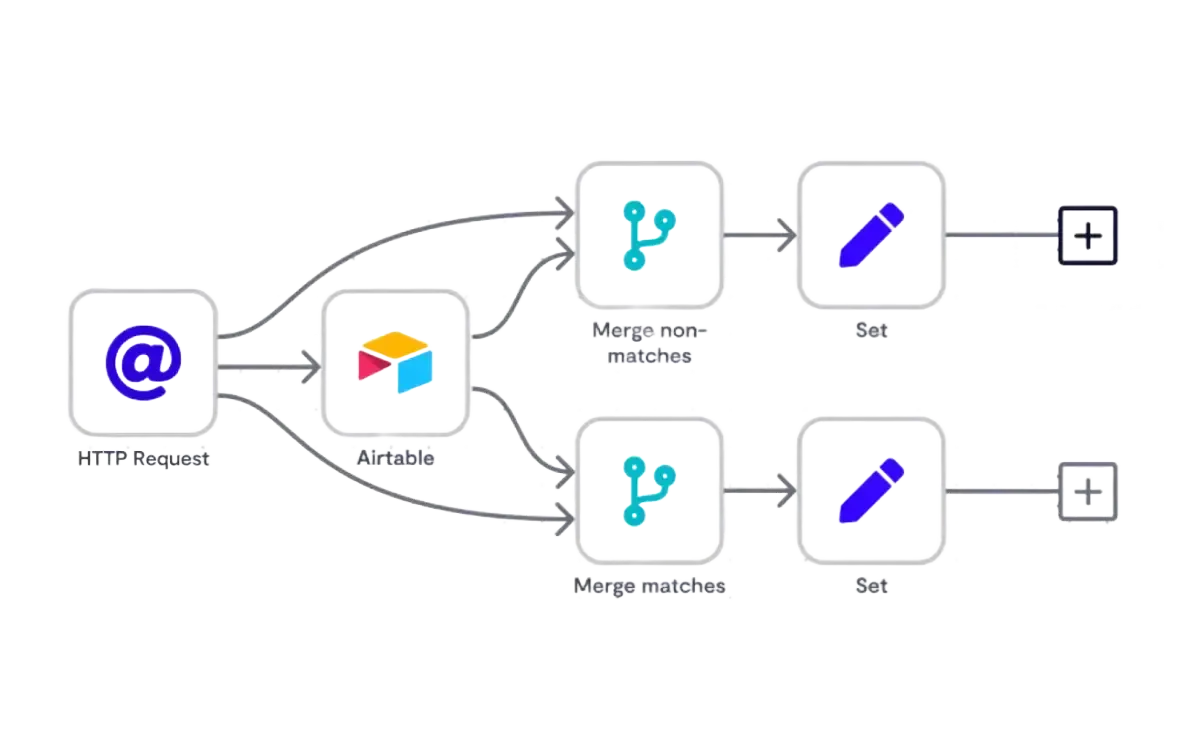
2. Use Descriptive Node Names Religiously
Rename every node as you build.
Avoid:
HTTP Request
Prefer:
Fetch Lead from HubSpot (by Email)
Clear naming dramatically improves:
Debugging speed
Team handover
Long-term maintainability
In production systems, readability is not optional—it is operational risk management.
3. Normalise Data Immediately After the Trigger
Standardise data as early as possible:
Phone numbers → E.164 format
Dates → ISO 8601
Emails → lowercase and trimmed
Currency → consistent decimal handling
Clean inputs ensure:
Reliable record matching
Accurate CRM updates
Predictable AI and scoring behaviour
Downstream logic should never have to “guess” data structure.
4. Use Set and Code Nodes as Control Layers
Avoid hardcoding values across multiple nodes.
Instead:
Store constants (IDs, URLs, environment flags) centrally
Use Set or Code nodes to:
Restructure payloads
Apply conditional defaults
Generate derived fields (e.g. lead score, status flags)
This creates a single source of truth and simplifies future changes.
5. Prefer IF Nodes Over Complex Inline Expressions
Expressions are powerful, but excessive inline logic:
Reduces readability
Increases error risk
Makes testing harder
Best practice:
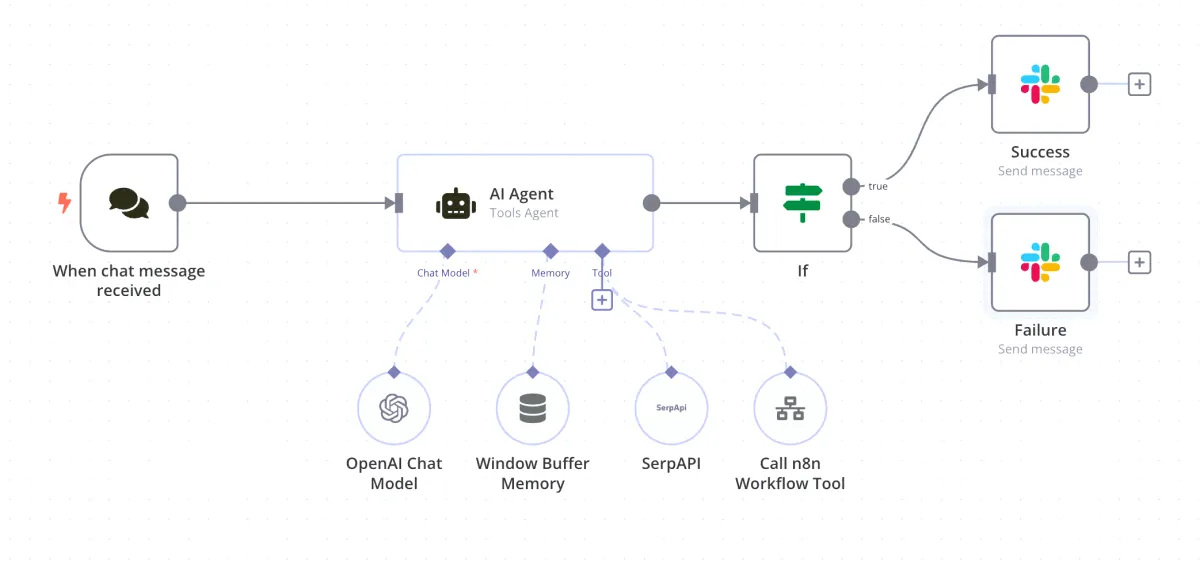
Use IF nodes for branching logic
Use expressions only for light transformations
Readable workflows outperform clever ones over time.
6. Handle Errors Explicitly
Never rely on silent failures.
Every production workflow should include:
An Error Workflow or Error Trigger
Captured context:
Failed payload
Node name
Error message
Send alerts to Slack, email, or a logging system.
This is essential for operational visibility and SLA-driven environments.
7. Break Large Workflows Into Sub-Workflows
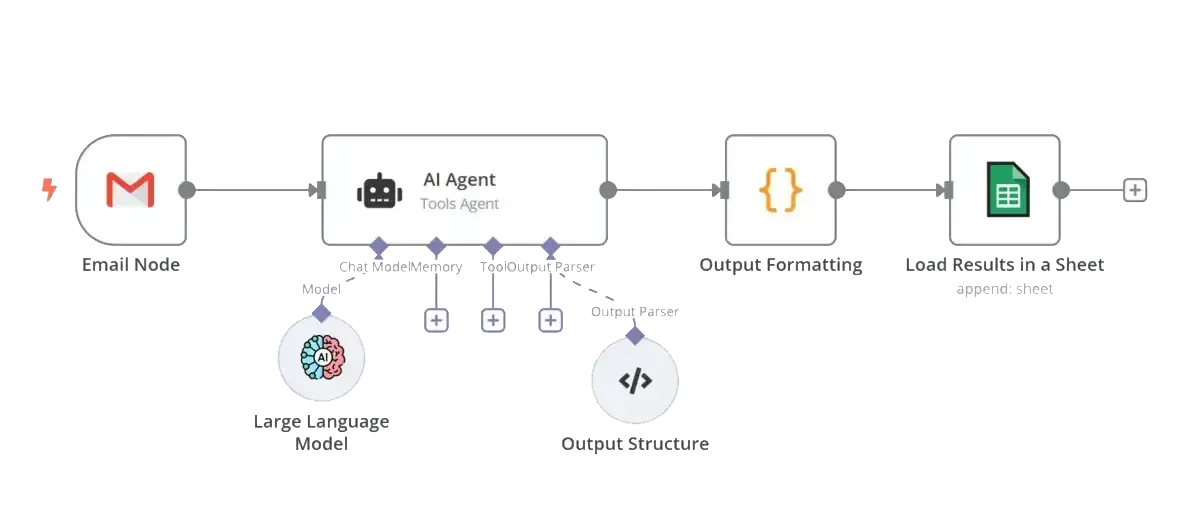
If a workflow exceeds ~15–20 nodes:
Extract reusable logic into sub-workflows
Call them using Execute Workflow
Benefits include:
Modular architecture
Faster debugging
Easier reuse and scaling
This mirrors modern software engineering practices.
8. Control Execution Volume Early
Reduce unnecessary executions as early as possible:
Filter out test data
Exit on incomplete records
Gate by status, tag, or score
This improves:
Performance
Cost efficiency
System stability
At scale, execution control is not optimisation—it is survival.
9. Use Webhooks Strategically
Webhooks are n8n’s most powerful entry point.
Best practice:
Prefer event-based webhooks over polling
Validate payload structure immediately
Respond quickly to avoid retries
Well-designed webhooks significantly improve reliability and latency.
10. Log Key Milestones—Not Everything
Over-logging creates noise and hides real issues.
Log only:
Workflow start
Key decisions (branching points)
Final outcomes
Errors
Store logs centrally (database, Slack, Notion, or Sheets) for traceability.
11. Version and Document Workflows
For every production workflow:
Add a description explaining:
Purpose
Inputs
Outputs
Duplicate workflows before major changes
Use versioned naming (v1.2, v2-beta)
This is critical for audits, rollback, and team collaboration.
12. Secure Credentials and Separate Environments
Always use the n8n credentials manager.
Maintain separation between:
Development
Staging
Production
Never hardcode API keys or tokens.
Security and compliance depend on this discipline.
13. Design for Idempotency
Workflows must be safe to run more than once:
Check for existing records before creating new ones
Use unique IDs for updates
Prevent duplicate side effects (emails, CRM records)
Idempotency protects data integrity at scale.
14. Test With Realistic, Worst-Case Data
Production failures rarely occur on “happy paths.”
Test for:
Missing fields
Empty arrays
Partial API responses
Rate-limit errors
If it can happen, it eventually will.
15. Think in Systems, Not One-Off Automations
n8n performs best as part of a wider architecture:
CRM + Ads + Analytics
AI + human review loops
Event-driven, not task-driven design
Treat workflows as infrastructure, not disposable fixes.
Final Thought
n8n is not just a no-code tool—it is an automation orchestration layer.
Teams that apply engineering discipline, system thinking, and data hygiene do not just automate tasks. They build resilient operational infrastructure that compounds efficiency, insight, and competitive advantage over time.